
19 Nov 7 Types of Clipping Path: From Simple Isolation to Complex Hair Masking
7 Types of Clipping Path: From Simple Isolation to Complex Hair Masking
“Clipping path” isn’t one thing. It’s a family of techniques, each suited to a different kind of product. Pick the wrong type and the job either costs more than it should or ships with edges that reveal the shortcut. Here are the seven types, what they’re for, and how to tell which your product needs.
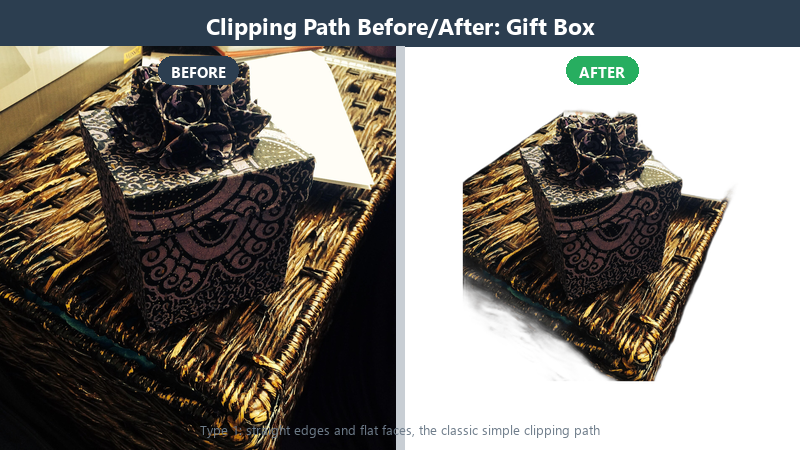
1. Simple Clipping Path
For: one closed path around boxes, bottles, cans and other hard-edged goods.
A single closed path around the subject. Fast, affordable, and the foundation of most e-commerce image editing. This is what most people picture when they hear “clipping path.”
2. Complex Clipping Path
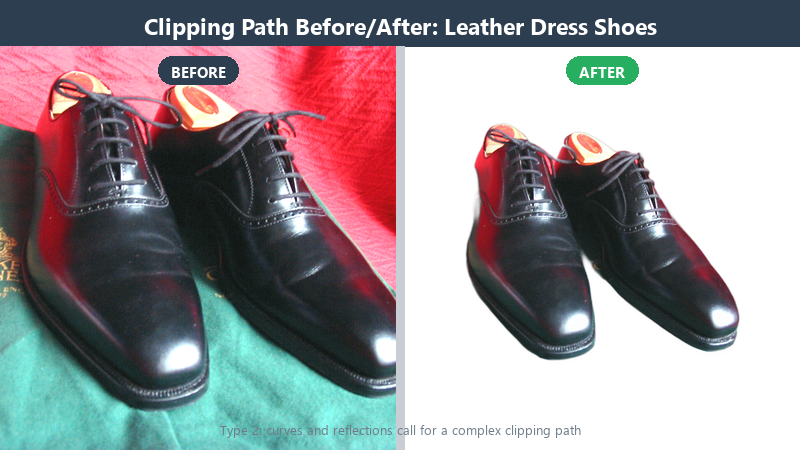
For: shoes, handbags, watches, furniture — silhouettes that bend, shine or blur, where the path must make judgment calls.
The edge isn’t a clean line. It curves, reflects, and changes density. This is where paths stop being geometry and start being judgment. An editor follows the actual contour of the product, preserving shape and detail.
3. Hair and Translucent Masking
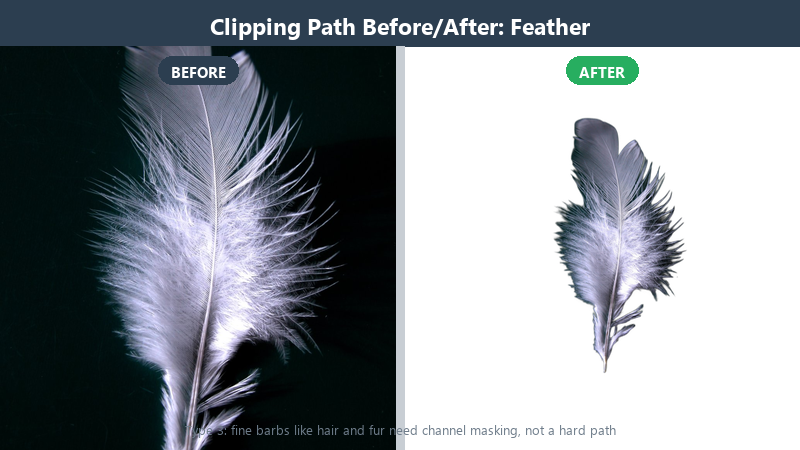
For: Flying hair, fur, sheer fabric, smoke, mesh, lace.
A single hard path can’t capture these. Editors combine multiple paths with channel-based masking, painting transitions by hand so light, shadow, and texture survive the cut.
4. Shadow Work
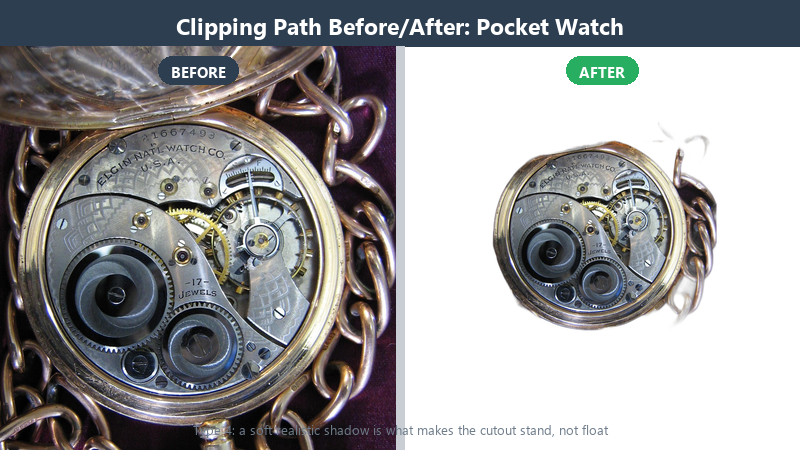
For: Any cut-out product that needs to look grounded — footwear, home goods, electronics.
A product on pure white with no shadow looks like it’s floating. Drop shadows, reflection shadows, and soft shadows give weight, dimension, and place. The shadow must match the original light direction.
5. Color Correction and Colorization
For: Faded product shots, mixed lighting, old catalog images.
Clipping changes how color reads against white. Editors restore natural color balance, correct casts, and revive photographs so the product matches the physical item and brand standard.
6. Raster to Vector
For: Scanned logos, illustrations, signatures, line art.
Converting pixel-based images into clean, scalable vector paths — crisp at any size, from business cards to billboards.
7. Retouching and Restoration
For: Product photos with dust, scratches, spots, or distractions.
Removing imperfections without leaving the product looking airbrushed or artificial.
Matching the Type to the Product
| Product | Clipping Path Type |
|---|---|
| Box, bottle, packaging | Simple clipping path |
| Shoe, handbag, watch | Complex clipping path |
| Model with hair, sheer dress | Hair and translucent masking |
| Product needing shadow | Shadow work |
| Scanned logo | Raster to vector |
One Product, Three Techniques: A Composite Example
Take one deceptively simple shot: a leather-strapped watch lying on slate. The metal case gets a complex path — curves, brushed reflections, a crown with knurled edges. The leather strap cannot be captured by any single path, because the grain dissolves into the background at the edges, so it gets a channel mask with hand-painted transitions. And because the client wants the watch on pure white for the marketplace main image, a soft contact shadow is constructed from scratch to match the slate shot’s light direction.
One image, three techniques, three price tiers — and every one of them invisible to a shopper who just sees a watch that looks trustworthy. That is the point: the categories are not a menu you pick one from. They are a toolbox an editor reaches into per region of the same frame.
When you brief a provider, this is what “complex” means in practice. Ask how they would treat the three regions of that watch, and you will learn more than any portfolio page can tell you.
Speed Versus Edge Quality: Choosing Deliberately
There are days when “good edges by Thursday” beats “perfect edges by never.” A flash-sale campaign with 800 simple products, a blog thumbnail, an internal mockup — these are speed jobs, and automation or fast paths are the correct answer. Pretending otherwise wastes money.
Then there are images where every pixel is revenue: the PDP main shot, the hero banner, the listing you are A/B testing against your top competitor. Those are quality jobs, and the cost of one soft edge is measured in click-through, not in cents.
The mistake we see is not choosing wrong — it is choosing accidentally, letting whichever vendor answered fastest decide the standard. Sort your catalog by stakes. Spend cheap speed where stakes are low and human precision where the pixels pay. Every serious editing partnership starts with that conversation.
Inside the Editor’s Screen
Curious what the work actually looks like? Open a professional clip file and you will find a Paths panel with named paths — product, holes, hardware — because unnamed “Path 1” leftovers are how mistakes compound. The Pen Tool does the outlines; Direct Selection nudges individual points; the Channels panel is where translucent masks are born, from whatever contrast the image genuinely offers.
Layer masks are kept separate from the path, so soft edges and hard edges can coexist non-destructively. Zoom discipline is visible in the undo history: an editor who never left 100% is an editor shipping halos. The pros cycle 100% for composition, 200% for the edge walk, 400% for the needle cases — lace holes, prongs, stray fibers.
None of this requires talent mythology. It requires habits, checked twice, on every image.
When a Clipping Path Is the Wrong Tool
Honesty time, from a clipping path company: sometimes you should not buy one. A lifestyle shot where the model’s hand dissolves into motion blur cannot be cut without losing the blur that makes it feel alive. A smoke shot IS its soft edges. A hero image where the product sits in its environment, light interacting with real props, often loses its soul when isolated to white.
For those jobs, the right purchase is retouching or compositing, not extraction. A shop that tells you this on the first call is a shop to keep. We turn down work every month that would pay us and embarrass us both — and those clients come back for the images we should clip.
Before ordering, ask plainly: “Should this image be clipped at all?” The answer is a better filter than any price comparison.
Briefing Your Editor: Six Details That Change the Result
A good brief is six sentences long. One: output background — pure white, transparent, or specific hex. Two: shadow spec — none, natural contact, floating soft, or match this reference image. Three: file formats and sizes, per channel. Four: an edge sample — one image where you show the zoom level you expect to survive. Five: deadline tiers, so rush work is flagged at intake, not discovered on delivery day. Six: who decides when something is ambiguous — a name, not an inbox.
Send those six with your first batch and the error rate drops before a single path is drawn. Editors cannot read minds, but we read briefs excellently.
The Vocabulary That Gets You Better Edges
Half of editing frustration is translation failure, so here is the working vocabulary of the trade, in plain speech. A knockout is simply the cut-out product on its new background. Alpha means transparency that survives the export — soft edges and shadows intact, no white fringe. A halo is the ghost ring of old background clinging to an edge; naming it gets it fixed. The spec is your written standard — white point, shadow angle, edge softness — and the phrase “match my spec” is the most powerful sentence in this industry. Tiers describe complexity honestly: simple, mid, complex — ask which tier each image lands in and why.
Two more worth stealing from print veterans: a chip is a small clipped element (a button, a buckle) that needs its own path inside the main silhouette, and edge walk is the 200% inspection pass every image should survive. Use these words in your briefs and two things happen: quotes get tighter, because scope stops being foggy — and disputes disappear, because both sides are pointing at the same dictionary.
A Quick Note on File Naming
It sounds trivial until a catalog of two thousand images needs one file found now. Insist on a naming convention that carries the essentials: SKU or product code, edit type, background spec, and version — for example SKU4427_cp-white-v2.tif. Deliveries that follow a convention slot straight into your DAM or listing tools; deliveries that don’t become a weekend of renaming. Professional shops propose a convention during intake if you haven’t set one. Let them — then hold every future batch to it, because consistency here is a small daily saving that compounds for years.
Picking the Right Type for Your Product
Unsure which type your product needs? Send two samples — we’ll tell you honestly, even when the answer is ‘you only need a simple path.’

No Comments