
17 Nov Pen Tool Mastery: The Secret Behind Professional Clipping Path Work
Pen Tool Mastery: The Secret Behind Professional Clipping Path Work
Fifteen years after Photoshop introduced new selection tools, the Pen Tool is still the most important instrument in professional clipping path work. Not AI. Not magic wand. Not select subject. The Pen Tool.
Here’s why mastering the Pen Tool separates professional clipping path services from amateur edits — and why your product images deserve it.
What the Pen Tool Actually Does
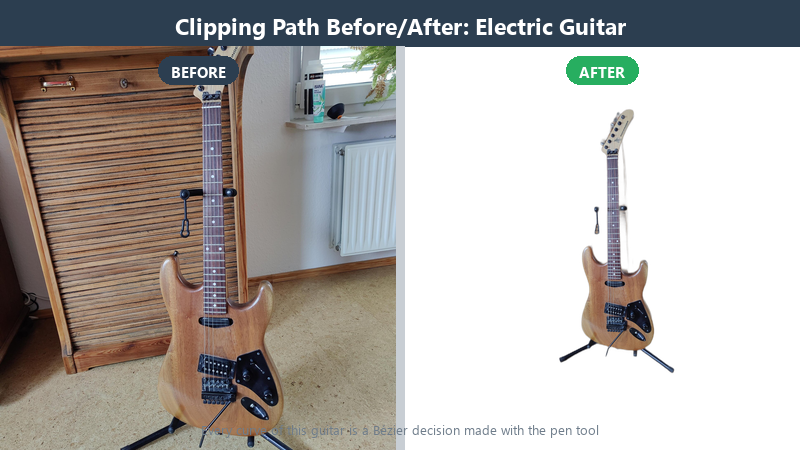
The Pen Tool lays down anchor points and Bézier curves; close the path and Photoshop masks everything outside it. This Photoshop pen tool clipping path workflow is what professional studios still run on every catalog — editable forever, one point at a time.
Why AI Can’t Replace Pen Tool Mastery
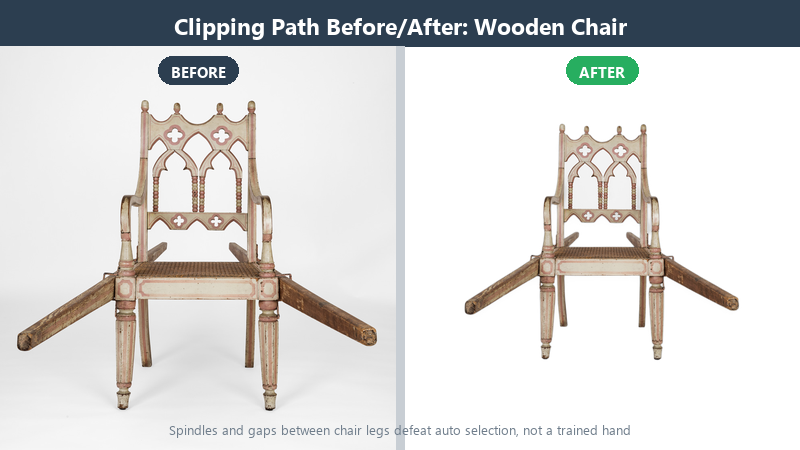
AI selection tools guess what “the product” is. They can’t tell:
- Whether shrink-wrap hugging a garment belongs to the product or the backdrop
- Whether that stray strand across the cheek deserves to stay
- That a white garment on a white sweep has no contrast to lean on — the edge lives in shadow and fabric texture
A pen tool artist understands what the item is. They draw the path by hand, pixel by pixel, edge by edge.
What Pen Tool Mastery Looks Like
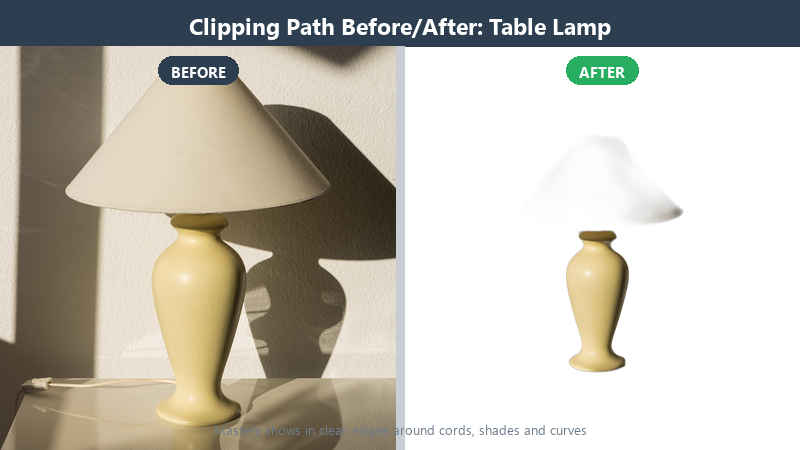
- Precision: Paths drawn exactly on the edge, not inside or outside
- Consistency: Same edge treatment across 1, 100, or 1,000 images
- Editability: Every point can be revised if the client wants changes
- Construction: Drop shadows, reflection shadows, and ghost mannequin effects built by hand — not extracted by a button
The 80/20 Rule of Clipping Path
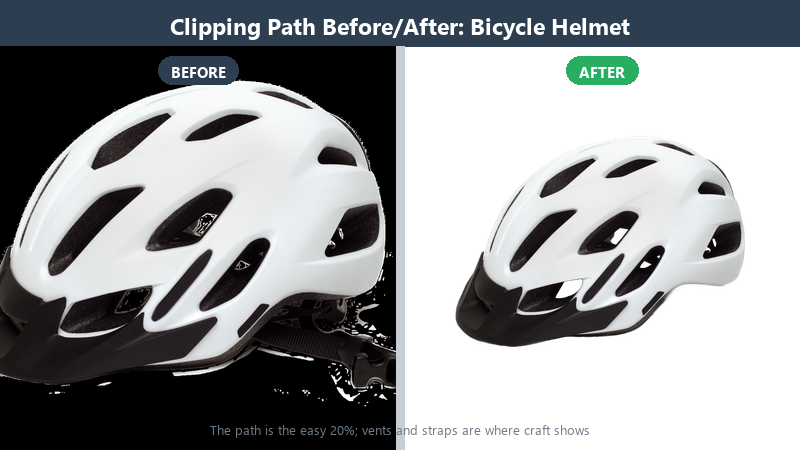
Anyone who’s done this work at volume knows the truth: the pen tool selection is the easy 20%. The other 80% is edge quality, shadow realism, color consistency across a catalog, and matching a client’s brand standard image after image after image.
Why This Matters for E-Commerce
Shoppers judge your product by its image edge. A jagged edge, a halo, or a gray smear says “cheap product.” A clean, hand-drawn path says “professional.”
What Ten Years of Points Does to Your Hand
Nobody is born drawing clean paths. The first month, an editor traces what they see — every wobble reproduced faithfully. The first year, they start seeing differently: the ellipse hiding inside a handle, the straight run hiding inside a supposedly curved edge. By year five, something quieter happens — anticipation. A senior editor places a point where the curve is about to turn, not where it already turned, and the path flows on the first pass.
The point count tells the story. Beginners use forty points per shoe; professionals use twelve and get a cleaner result, because every point is a place the curve can kink. Fewer points, more control — a paradox that only hands learn.
The other change is invisible: QC eyes. After years of walking edges at 200%, you stop seeing products and start seeing junctions, and a half-pixel halo screams across the room. That alertness is the real product clients are buying.
Bézier Curves, Minus the Math Degree
Every anchor point on a path can carry handles — levers that bend the curve entering and leaving it. Pull both handles together and the curve flows through smoothly. Break them apart and you get a crisp corner. That is 90% of the theory.
The craft is in tension. Pull a handle too far and the curve balloons past the product’s true edge; leave it too short and the path flattens into polygonal approximations of round things. The discipline professionals teach is to draw the shape’s geometry, not its pixels — trace the ideal ellipse the bottle cap belongs to, then trust the path, not the anti-aliased edge pixels, to define the cut.
One habit binds it together: after closing a path, walk it once at 200% and shorten any handle that drifted. Thirty seconds per image; thousands of revisions never needed.
The Keyboard Habits That Save Hours
Watch a fast editor and you will notice their hands rarely leave the home position. Alt-click breaks a handle without touching the tool panel. Spacebar pans; Ctrl/Cmd-plus and minus cycle the zoom ladder; the bracket keys resize a brush in the masking half of the job without a menu in sight. Direct Selection moves one point; Path Selection drags the whole outline — confusing the two costs minutes that compound over a thousand-image batch.
Files carry habits too. Paths get named the moment they close — product, holes, hardware — because a client’s revision note saying “loosen the strap edge” should take thirty seconds, not a forensic search through Path 12 copy 3.
Speed in this craft is not rushing. It is the absence of friction, installed one shortcut at a time.
Where Paths Live: PSD, TIFF and Delivery Formats
A path is only valuable if it survives the journey to your desk. In a PSD, saved paths live in the Paths panel — reopen the file next quarter and the geometry is exactly where the editor left it. Print workflows prefer TIFF with an embedded clipping path: layout software like InDesign reads the path directly and knocks out the background at the page level, no alpha channel required and no surprises at the plates.
For the web, the cut-out usually ships as PNG-24 with true alpha, so soft edges and shadows survive transparency. Some ad platforms and older catalog pipelines want JPEG on white plus a separate alpha file — we deliver whatever the destination demands, because the format is the client’s choice and the quality is ours.
Ask any provider what formats they include by default. The answer tells you whether they think in files or in finish.
How We Train New Editors in Khulna
Every editor on our floor climbs the same three-image ladder before touching client work. Image one: a box — deceptively simple, it teaches point economy and the discipline of straight runs. Image two: a sneaker — curves, mesh, laces, the first channel mask. Image three: a glass goblet on dark background — where the edge is a highlight and courage has to be patient.
Each rung is reviewed by a senior against the same checklist clients receive: edge accuracy at 200%, no halos, shadow spec honored, file named to convention. Pass, and the editor earns live work — starting on low-stakes volume, graduating to brand-critical images as their QC record earns it.
The ladder takes months, not days. That is why capacity questions deserve real answers — a floor full of ladders is a promise about quality that shortcuts would quietly break.
The Talent Myth: Why “Steady Hands” Is Overrated
Outsiders imagine pen tool mastery as surgery — a gifted wrist making impossibly steady strokes. Working editors know better. The mouse hand provides maybe a tenth of the result. The rest lives in decisions made before the wrist moves: where this curve turns, whether that edge gets a point at all, when to stop drawing pixels and start trusting geometry.
That is why we screen trainees on judgment, not dexterity. Give candidates a flawed path and ask what is wrong with it — the ones who spot the bloated handle in five seconds learn faster than the ones with surgeon-steady mice and no critique vocabulary. Vision is trainable; so is patience; both matter more than pulse rate.
It also means mastery scales. A floor of editors trained on the same ladder, checked by the same QC, converges on the same quality — which is precisely what a client with ten thousand images is actually buying. Not one genius. A system that makes careful judgment ordinary.
The Two-Minute Review Habit
Every finished path gets one ritual before it ships: a two-minute walk. Zoom to 200%, follow the entire outline once without stopping, then spot-check the three hardest regions at 400%. It is deliberately boring, which is the point — QC that depends on inspiration misses things; QC that depends on a checklist does not. New editors hate the ritual until their first bounce report arrives, at which point it becomes the most respected two minutes on the floor. The habit scales beautifully: two minutes an image, times ten thousand images a month, is the quiet infrastructure behind every consistent catalog we deliver.
Old Tool, Still Winning
New tools come and go. The Pen Tool stays. For product images that sell, hand-drawn clipping path work is still the gold standard.
Curious what fifteen years of pen tool hours looks like on your own product? The two-image trial is free, and the edges answer for themselves.

No Comments